

SyncLive or Livecade: browser mini-games or real PC games?
Livecade has your viewers play mini-games in the browser; SyncLive makes their gifts act inside your real PC games. Two different takes on the interactive live.
In short
Livecade suits streamers who want ready-to-use mini-games (54 advertised), with nothing to install, on Mac, Windows or Chromebook, with Pro at $12.99/month. SyncLive suits streamers who play real PC games on Windows and want gifts to act inside them: 25 supported games, free with no time limit, and Pro at €25.99/month for overlays, text-to-speech and wheels.
Side by side, criterion by criterion
| Criterion | SyncLive | Livecade |
|---|---|---|
| Platforms (TikTok, Kick, Twitch) | TikTok and Kick. No Twitch.synclive.fr | TikTok LIVE. Kick and Twitch: not stated.source · verified October 12, 2026 |
| System (Windows, Mac, browser) | Windows 10/11. No Mac or browser version.synclive.fr | Browser: Windows, Mac, Linux, Chromebook, with control from your phone. Nothing to install.source · verified October 12, 2026 |
| Games: how many and examples | 25 distinct video games: Minecraft, GTA V, Resident Evil 4, Elden Ring, R.E.P.O., Supermarket Simulator… Plus a virtual controller for consoles and in-house SyncLive games.synclive.fr | 54 in-house browser games: Fruit Slice, Marble Race, MMA Clash, quizzes… No effects in retail PC games.source · verified October 12, 2026 |
| Free plan | Yes, with no time limit: every supported video game, 3 actions, 1 profile, 6 basic overlays.synclive.fr | Yes, with no time limit: 60 min of live per day, Livecade watermark, free games only.source · verified October 12, 2026 |
| Price (monthly / yearly) | Pro: €25.99/month or €199.99/year (interactive GTA server included). In-house games sold individually: €19.99 to €29.99, lifetime.synclive.fr | Pro $12.99/month, or $9.61/month billed yearly.source · verified October 12, 2026 |
| Interface languages | 13 languages.synclive.fr | Not stated.source 1, 2 · verified October 12, 2026 |
| Voice (TTS), overlays, wheels | Overlays (6 basic ones free, all of them with Pro); text-to-speech voices and wheels with Pro.synclive.fr | DJ Pad for sounds. Text-to-speech voices, alerts and wheels: not stated.source · verified October 12, 2026 |
| Installation | Signed Windows installer. You need the original game; its gift pack installs from the app.synclive.fr | None: an overlay link to paste into OBS or TikTok LIVE Studio.source · verified October 12, 2026 |
Data for the other tools was collected on October 12, 2026 from their public pages, linked in each cell. "Not stated" means the information doesn't appear on the pages we checked that day, not that the feature doesn't exist. Prices are the ones each publisher displays, in dollars or euros. For SyncLive, we count distinct titles: the different Minecraft and GTA V modes count as one game.
Two ways to make a live interactive
Livecade is a browser games platform: you enter your TikTok username, then paste an overlay link into OBS or TikTok LIVE Studio. Viewers use their comments, gifts, likes and follows to play games made by Livecade: marble races, fights, quizzes, word games (verified October 12, 2026).
SyncLive starts from your own games: Minecraft, GTA V, Elden Ring, R.E.P.O.… A gift spawns a monster, changes the weather or makes things harder for you in your game. SyncLive also has its own in-house games, like Livecade.
On the free plan, Livecade limits your live to 60 minutes a day and adds its watermark; SyncLive has no time limit and no watermark. Livecade shows 4.3/5 on Trustpilot, from 14 reviews (verified October 12, 2026).
Where SyncLive comes out ahead
- Gifts act inside real PC games: 25 supported games, from Minecraft to Elden Ring.
- A free account with no live time limit and no watermark.
- Text-to-speech voices, overlays, wheels and chatbot in the same app, with Pro.
- Kick on top of TikTok.
When to choose Livecade
- You're on Mac, Linux or Chromebook: Livecade runs in the browser, SyncLive is Windows only.
- You don't play a PC game and want ready-to-use mini-games to entertain your audience.
- Price comes first: Pro at $12.99/month, or about $115/year.
- You want to control everything from your phone.
Frequently asked questions
Is Livecade free?
Yes, with no time limit, but your live is capped at 60 minutes a day, with the Livecade watermark and free games only. Pro costs $12.99/month, or $9.61/month billed yearly (verified October 12, 2026).
Does Livecade work with real games like Minecraft or GTA?
No: its 54 games are in-house games that run in the browser. For gifts to act inside Minecraft, GTA V or Elden Ring, you need a tool like SyncLive.
What about Mac?
Livecade runs in the browser, so it works on Mac too. SyncLive only runs on Windows 10/11.
Can these tools get my TikTok account banned?
No publisher can guarantee they won't. As far as we know on October 12, 2026, TikTok has no public rule that specifically targets these tools, but its TikTok LIVE monetization guidelines exclude anything that manipulates engagement. Keep your interactions honest, with no rewards promised for gifts.
Do I need TikTok LIVE Studio or OBS?
Both tools work with either one: Livecade and SyncLive overlays are added as a link. SyncLive's in-game effects happen inside your game, whatever streaming software you use.
Does SyncLive have mini-games too?
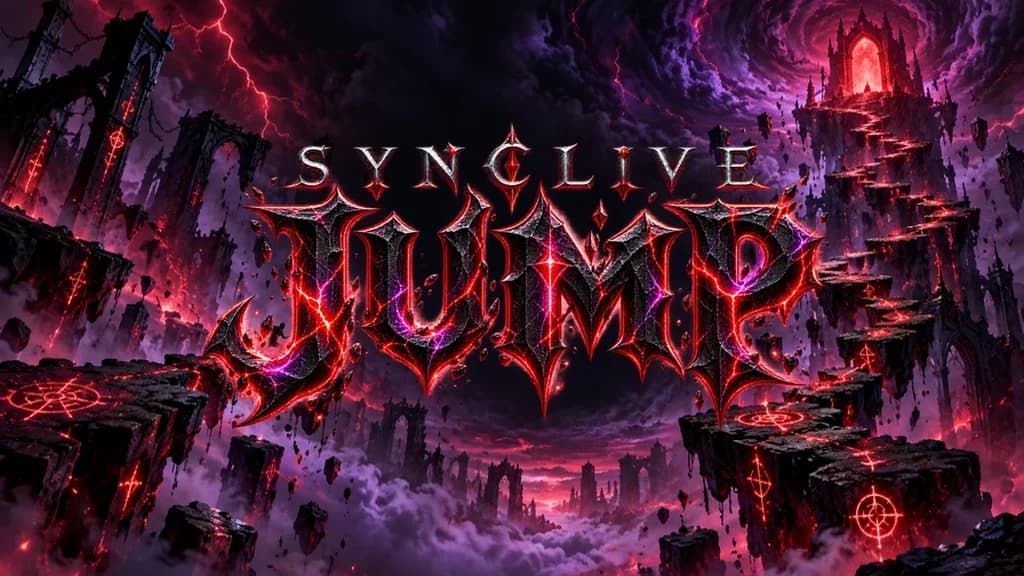
Yes: Éclipse, SyncLive Jump and SyncRoyale (included with Pro), plus SyncPlinko, VAULT and SpaceBalloon (lifetime purchase). But its real strength is still gifts that act inside your own PC games.

Sources and method
We read each tool's public pages on October 12, 2026 (features, pricing, game list, languages) and only used what they actually say. SyncLive data comes from our Pricing and Games pages. Prices change often, so always check the publisher's website before you pay.
- Livecade — livecade.io (verified October 12, 2026)
- Livecade — livecade.io/games (verified October 12, 2026)
- Livecade — livecade.io/pricing (verified October 12, 2026)
- Livecade — trustpilot.com/review/livecade.io (verified October 12, 2026)
- TikTok — TikTok LIVE monetization guidelines
- SyncLive — synclive.fr/en/tarifs · synclive.fr/en/jeux
Written by the SyncLive team · Published October 12, 2026 · updated October 12, 2026
Has something changed, or did we get it wrong? Let us know
SyncLive is neither affiliated with nor endorsed by TikTok or the publishers mentioned; all trademarks belong to their respective owners.