
What your viewers can do
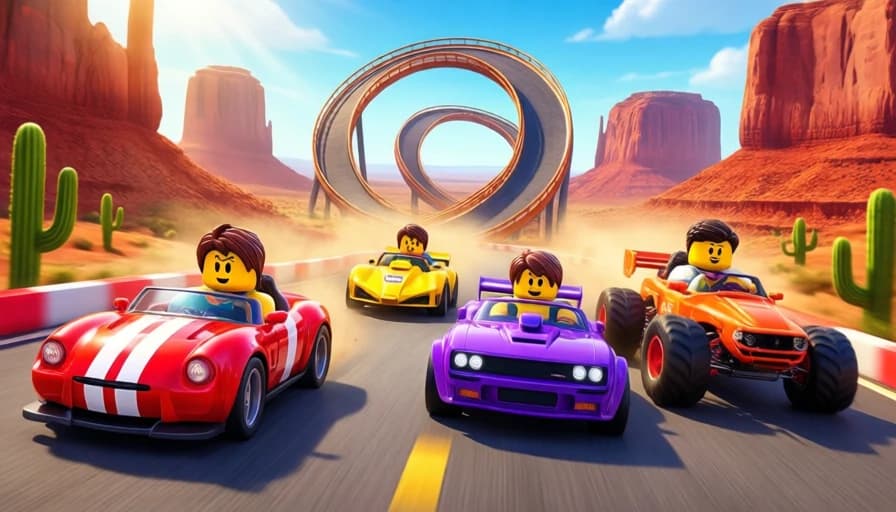
- The whole chat drives: “go” to join the race
- 3 tracks voted by the chat: Canyon, Frozen Peaks, Turbo City
- Gifts that boost or trap the cars
- Free Roblox is enough, connect with a code
Setup
Download SyncLive, open the Games tab and choose SyncTurbo. The app installs what's needed and guides you step by step.
Make SyncTurbo interactive in 3 steps
- Install SyncLiveFree, on your computer. No credit card.
- Connect your streamTikTok LIVE or Kick: your username is all it takes, no password.
- Pick SyncTurboThe gift pack is already set up: tweak it and test it before you go live.
FAQ
How do I make SyncTurbo interactive on TikTok LIVE?
SyncTurbo is our Roblox car race: every viewer who types “go” in the chat takes the wheel with their avatar, and you race with them. The chat votes for the track among three maps: the Canyon, the Frozen Peaks and Turbo City. Gifts boost the cars with nitro, a rocket, a monster truck or hyperspace, or trap the ones in front with oil, the police, a missile, a helicopter or a meteorite. Podium at the finish. You connect with a code from the app. Exclusive to SyncLive Pro. Just install SyncLive, connect your stream and pick SyncTurbo in the Games tab.
Is SyncTurbo free with SyncLive?
SyncTurbo is included in SyncLive Pro (€25.99 / month). It isn't available on the free account.
Does it work on Kick too?
Yes. SyncLive connects to TikTok LIVE and Kick: gifts and events from both platforms can trigger the effects in SyncTurbo.
Can I test the effects before going live?
Yes. The app's simulator sends fake gifts so you can check every effect before you go live.
More games



Bring SyncTurbo to your live
Included in SyncLive Pro. The app itself is free.
⬇ Download SyncLive for Windows